Payment form
- What the form charges
- $243.56
- Computed on this page from the inputs below
- Subtotal of the lines and the option
- $225
- Computed on this page from the inputs below
- Sales tax on the subtotal
- $18.56
- Computed on this page from the inputs below
- The processor's cut
- $7.36
- Computed on this page from the inputs below
These sheets have no constants. Every number is worked from the figures you enter: the prices, the quantities, the option fee, your sales tax rate, your processor's rate and fixed fee, the fields, the seconds per field, the visitors, the start and finish rates, the services, the questions, the requests, the win rate and the job value, with the arithmetic printed beside each answer. The defaults are one site owner's worked example, not a tax rate this site publishes and not a processor's price list.
Email me this result
We will send you these figures and a link back to them. One email, nothing else unless you tick the box.
The figures start from a worked example ($243.56) and every answer is worked from the figures you enter: put your own prices, rates, fields and traffic in and read yours.
Download the Payment form worked example (CSV)
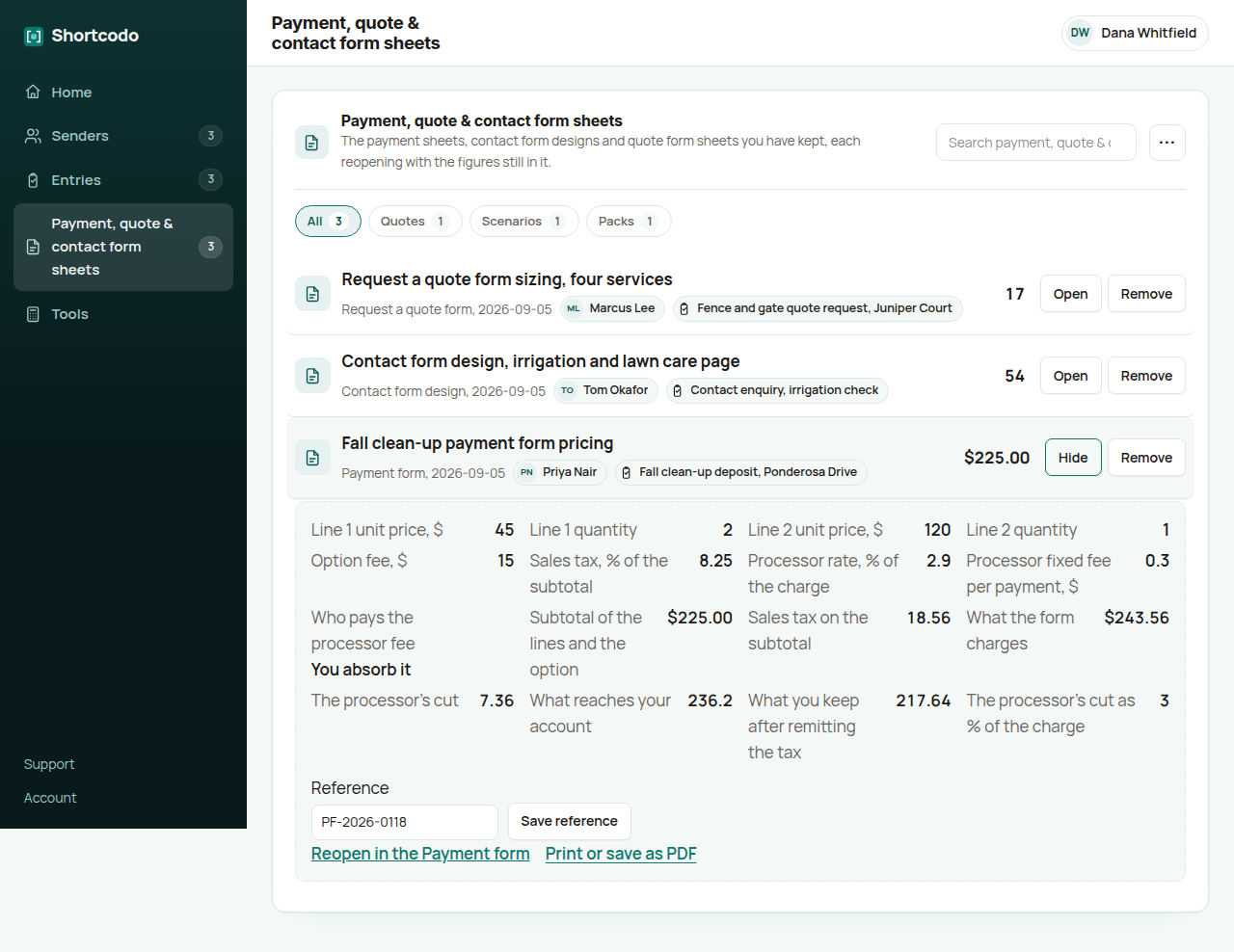
This is the payment form's arithmetic, and it answers the question every owner asks after the first sale: why did less arrive than the form charged. Enter the line items and their quantities, an option fee, your sales tax rate, your processor's percentage and fixed fee, and whether you absorb that fee or add it to the charge. It returns the subtotal, the tax, what the form charges, the processor's cut, what reaches your account and what you keep once the tax is remitted, with the processor's cut as a share of the charge. The figure to argue over is the last input: pass the fee on and the charge is grossed up so the subtotal and the tax still reach you in full, which is what a payment form that pays for itself means in practice.
The subtotal and the tax, off the lines
Two of the first line at $45 and one of the second at $120, plus a $15 option fee, is a $225 subtotal. At 8.25% sales tax that is $18.56 of tax and $243.56 charged. Enter your own lines and your own rate and the charge follows.
The processor's cut, from your own rate
At 2.9% plus $0.30 the processor keeps $7.36 of the $243.56, which is 3% of the charge, and $236.20 reaches your account. That is the figure to reconcile against the processor's payout, not the figure on the form.
What you keep, and the fee passed on
After remitting the $18.56 of tax you keep $217.64 of the $225 the buyer thought they were paying for. Switch the last input to the customer paying the fee and the charge is grossed up so that $243.56 still reaches you after the processor's cut, which is the trade the sheet is for.
What site owners ask before they trust the Payment form
Why is the processor's cut worked on the whole charge?
Because the processor takes its percentage of what was paid, tax included, plus the fixed fee. On the worked example that is 2.9% of $243.56 plus $0.30, or $7.36, and the sheet prints it as 3% of the charge so you can see the share.
What does passing the fee on do?
It grosses the charge up: the subtotal plus the tax plus the fixed fee, divided by one minus the rate, so what reaches you after the processor's cut is the subtotal and the tax. Whether you may add it, and how it must be shown, is a question for your processor's terms and your state.
Where does the sales tax rate come from?
From you. The sheet publishes no rate; 8.25 is a worked example. Your state and local rate on what the form sells, and whether it applies at all, is your registration and your accountant's answer.
Where the constants in this tool come from
PCI Security Standards Council: PCI DSS, the standard a payment form's card handling is held to.
MDN: the number input, the field a quantity and a price are typed into.